Protecting Your Personal Information on Your Smart TV

Smart TV with Remote Image

Smart TVs have become a staple in many homes, offering convenient access to streaming services, apps, and even smart home integrations. However, just like your computer or smartphone, your TV can collect data, track viewing habits, and be vulnerable to cyber threats.

From voice assistants and built-in cameras to automatic content recognition (ACR) and third-party apps, your smart TV might be sharing more personal information than you realize. Without the right precautions, hackers, advertisers, and even cybercriminals could gain access to your data, putting your privacy at risk.

The good news? You can take simple steps to protect yourself. Here are 12 essential security and privacy tips to keep your personal information safe while enjoying your favorite shows and events:

  • Adjust Privacy Settings
    Review your TV’s privacy settings. Disable features you don’t need, like voice commands, camera access, and activity tracking.
  • Disable Automatic Content Recognition (ACR)
    ACR tracks what you watch to recommend content or serve ads. Turn this off in the TV’s settings to limit data collection.
  • Keep Software Updated
    Regularly update your TV’s firmware to protect against known security vulnerabilities.
  • Use Strong Passwords
    Set strong, unique passwords for streaming services, Wi-Fi, and any other connected apps on your TV.
  • Be Cautious with App Permissions
    Only download trusted apps. Check the permissions apps request and deny any unnecessary access.
  • Turn Off Features When Not in Use
    Disable the TV’s microphone, camera, or internet connection when not in use. Consider using physical covers for cameras.
  • Avoid Using Public Wi-Fi
    If you connect your TV to Wi-Fi, make sure it’s a secure, password-protected network to prevent unauthorized access.
  • Enable Network Encryption
    Use WPA2 or WPA3 encryption on your home Wi-Fi network to secure data transmitted to and from your TV.
  • Monitor Account Activity
    Regularly check for suspicious activity on your streaming accounts, such as unrecognized logins or recently watched shows.
  • Enable Two-Factor Authentication (2FA)
    If available, enable 2FA for apps on your TV to add an extra layer of protection to your accounts.
  • Avoid Sharing Sensitive Info
    Avoid entering sensitive information (like payment details) directly on your TV. Use a secure device like a phone or computer instead.
  • Use a VPN (Optional)
    If you want extra security, consider a VPN to encrypt your internet connection on the TV.

These precautions can help minimize the risks of data theft, unauthorized access, and privacy invasion on your smart TV.

Happy watching! Be sure to share this information with friends and family, and follow Citynet on Facebook to get the latest security info and tips.
Like This Post?

Facebook
X
LinkedIn
Email

More Posts

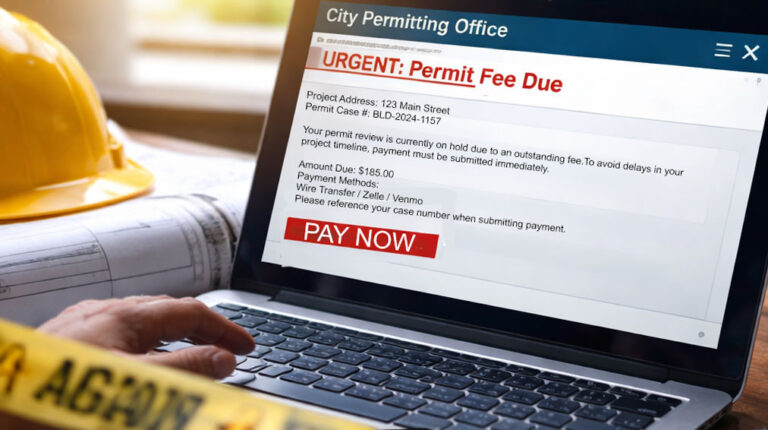
Fake Permitting Scam Image
The Latest Scams

Scammers Are Targeting Home Projects—Here’s What to Watch

If you’re building, renovating, or improving your home, there’s a new scam you need to watch for—and it’s catching people at exactly the wrong time. How the Scam Works You receive an email that appears to come from a local government office—maybe your city, county, or permitting department. The message claims there’s an issue with your project and that you

Hand Remote Control Image
Fiber

Stop the Buffer: How to Get the Most from Your Streaming Experience

There’s nothing more frustrating than getting to the final seconds of a close game—only to see the spinning buffering wheel right before the winning shot. While buffering is often blamed on slow internet, that’s not always the case—especially if you’re already connected to Citynet Fiber. Your streaming device, settings, and even your home network setup can all impact performance. Here’s

Photography Tips Image
Technology

Phone Photography Tips: Take Better Photos This Spring

Capture Spring Like a Pro — With Just Your Phone Spring is one of the most photogenic times of year—blooming flowers, longer golden-hour light, and weekends filled with moments worth remembering. The best part?You don’t need a $3,000 camera or professional training to capture it all. The phone in your pocket is more powerful than most people realize. With just

Cybersecurity Hacker Hoodie Image
Cybersecurity

How Long Attackers Stay in a Network Before They’re Discovered

When people imagine a cyberattack, they often picture a dramatic event — systems suddenly shutting down or files becoming encrypted. But many cyber incidents don’t unfold that way. In many cases, attackers quietly gain access to a network and remain there for weeks or even months before being discovered. This period is known as “dwell time.” During this time, attackers

Cybersecurity Alert Critical Image
Cybersecurity

5 Critical Mistakes to Avoid During a Cyberattack

Think your business may already be compromised? See the warning signs and response steps here Even well-intentioned actions can make a cyber incident worse Cyberattacks often unfold quickly, and the wrong response in the first few minutes can make an incident far more difficult to contain and investigate. When a cyber incident occurs, the natural reaction is to act quickly

Man Laptop Cybersecurity
Cybersecurity

How Most Cyberattacks Actually Start

It’s usually not a sophisticated hack — it’s a moment of trust. Many organizations imagine cyberattacks as highly technical breaches targeting servers or networks. In reality, most cyber incidents begin with something much simpler – a human mistake or a moment of misplaced trust. Cybercriminals increasingly focus on manipulating employees rather than breaking through technical defenses. Here are some of

SuperPod with WiFi 6E

Plume SuperPod WiFi 6E Specs

SuperPod with WiFi 6

Plume SuperPod WiFi 6 Specs

SuperPod

Plume SuperPod Secs