One of the easiest ways to boost your cybersecurity is to always keep software and apps updated.
Every day, software and app developers focus on keeping their users and products secure. They’re constantly looking for clues that hackers are trying to break into their systems, or they are searching for holes where cybercriminals could sneak in, even if they’ve never been breached before. To fix these issues and improve security for everyone who uses their services, upstanding software companies release regular updates.
If you install the latest updates for devices, software, and apps, not only are you getting the best security available, but you also ensure that you get access to the latest features and upgrades. However, you can only benefit if you update! Don’t fret, updating software is easy, and you can even make it automatic.
Here are four easy-to-remember tips to keep in mind when it comes to updates:
1. Automatic updates make your life easier
You don’t have to check your Settings tab every morning – you can usually set up automatic updates so that updates are downloaded and installed as soon as they are available from the device, software, or app creator. Note that you might have to restart your device for the updates to fully install. It is best to do this right away, but you can often schedule this to happen during times when you aren’t using your device, like the middle of the night. Plenty of us stay lazy and secure – although you probably should check your software update settings every so often (quarterly is good) to ensure everything is set to your liking!
2. Get updates from the source
Before downloading anything, especially software and app updates, be sure you know the source. Only download software to your computer from verified sources, and only download apps from your device’s official app store. The device, software, or app developer itself should be sending you updates, not anyone else. And remember, pirated, hacked, or unlicensed software can often spread malware, viruses, or other cybersecurity nightmares to your network. Ruining your computer, phone, tablet, or other device isn’t worth it!
3. Don’t fall for fakes!
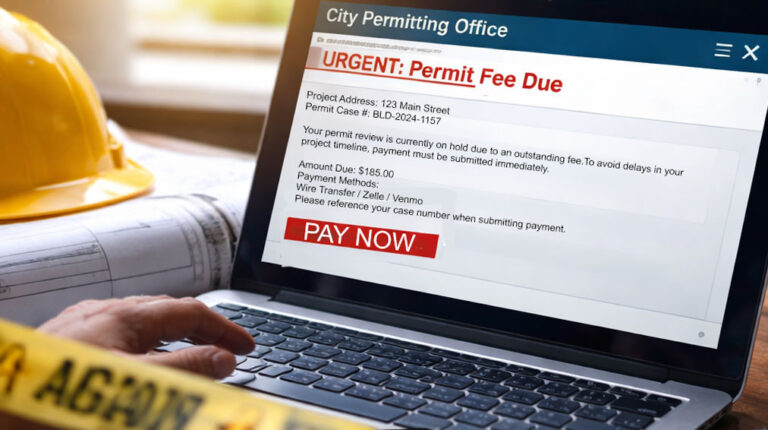
On the web, you’ve probably come across suspicious pop-up windows that urgently demand you download a software update. These are especially common on shady websites or if there is malware already on your machine. These are always fake – they are attempts at phishing. Don’t click any buttons on these pop-ups and close your browser. Many web browsers will warn you if you are attempting to visit an unsecure web address or one that could contain malware. Heed these warnings and don’t take the bait!
4. Make it a habit
Even if you don’t have automatic software updates turned on, make updating your device, software, and apps a regular habit. Oftentimes, you will be notified that updates are available. Even if it is a pain to close out of your programs and restart your device, it is worth it to do this right away, especially if the update patches an urgent security flaw.
You should check your app and device settings on a regular basis, and you should check monthly if you don’t have automatic updates turned on (although weekly is better).
Remember that updates are part of our digital lifecycle, and if you embrace them, you’ll have more peace of mind, the latest security, and the best new features.