Did you know that the average person uses the same three to seven passwords to log in to over 170 online accounts? In addition to being reused, these passwords are often weak and can be easily guessed by cybercriminals. If cybercriminals guess these passwords, they could access most of their victim’s online accounts, creating security issues for them and their company. Even worse, the victim may not know that their password has been compromised for several months or years.
By now, you have likely heard the basic elements of good password hygiene:
Creating Strong Passwords & Best Practices
- Your passwords should be as long, complex, and random as possible.
- Your password should be at least 12 characters long and include a combination of lowercase and uppercase letters, numbers, and symbols. You can also use password phrases or passphrases.
- Ensure you don’t use any personal information that a cybercriminal could guess.
- Don’t write down passwords or PINs, and make sure not to share them.
- Shield your keyboard or keypad when logging in.
- Avoid saving passwords in your browser. Instead, consider a password manager, such as LastPass, to manage all those unique logins.
- And never, ever reuse a password! Creating a unique password for each online account reduces the risk if one of your passwords is compromised.
- Don’t write down passwords or PINs, and make sure not to share them.
- Shield your keyboard or keypad when logging in.
The best advice? Use a password manager, such as LastPass, to make password management easy while seriously increasing your digital security. Here’s why:
- It securely stores all your passwords and allows for management and access to passwords across all devices and all browsers.
- Only need to remember one password – for the password manager.
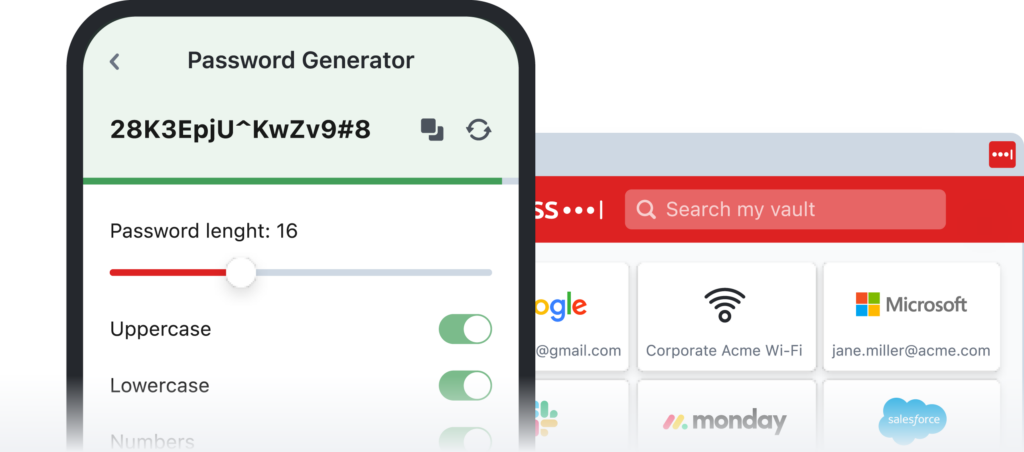
- It can generate secure passwords based on specific criteria.
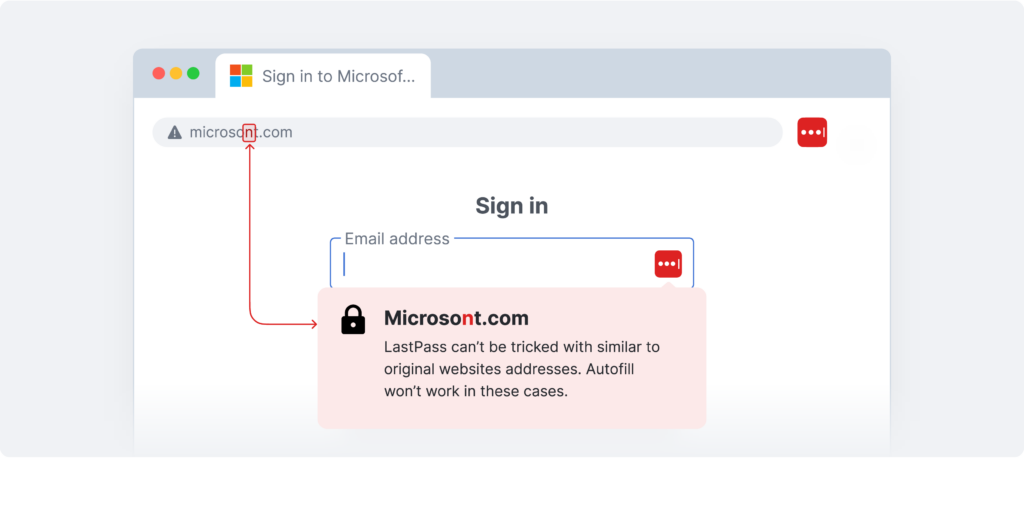
- Won’t allow you to autofill credentials on scam or mirror websites (see image below)
Remember To:
Enable Multifactor-Authentication
While a strong password protects an account, there’s still a chance that a hacker could access it by force. Additional layers of authentication provide extra roadblocks to protect your business; without them, your cybersecurity is inadequate.
The LastPass Authenticator allows your business to employ MFA while letting employees go password-less, making your cybersecurity much more robust and increasing employees’ user experience.
Recognize and Report Phishing Attacks
Phishing, smishing (text or SMS), and vishing (voice call) attacks are getting increasingly sophisticated and harder to recognize – until after your data has been stolen.
Educate employees on the essentials: double-check a sender’s email address, look for poorly written or misspelled email copy, never accept MFA requests they didn’t initiate, and report suspicious emails to IT.
Password managers like LastPass won’t allow you to autofill credentials on scam or mirror websites.
Take control of your security!
LastPass Business gives admins granular control over cybersecurity habits with customizable security policies, employee password health monitoring, and much more.
Get a Free Trial of LastPass for Business. Contact Citynet today!