Small IT Team, Big Responsibility: How Managed Services Fill the Gaps
By in

Small IT Team, Big Responsibility: How Managed Services Fill the Gaps

For many small and mid-sized organizations, IT responsibility rests on the shoulders of one or just a few people. These teams are expected to keep systems running, users productive, data secure, and technology aligned with business goals.

It’s a tall order.

As technology becomes more complex and threats more persistent, small IT teams are being asked to do more than ever before, often without the time, tools, or coverage they need. This is where managed IT services play a critical supporting role.

The Reality of Small IT Teams Today

In many organizations, internal IT teams are responsible for:

  • Network uptime and performance
  • Cybersecurity and patch management
  • User support and onboarding
  • Backup, disaster recovery, and compliance
  • After-hours and emergency response

That’s a full-scale IT operation, often handled by one or two people.

Even the most capable IT professionals can’t be everywhere at once, and when priorities compete, critical tasks like monitoring, documentation, and long-term planning are often the first to fall behind.

Where the Gaps Start to Appear

IT gaps don’t usually show up all at once. They build quietly over time.

Common pressure points include:

  • Limited after-hours or weekend coverage
  • Delayed patches and updates
  • Inconsistent monitoring of systems and alerts
  • Security tasks competing with daily user support
  • Burnout from being “always on”

These gaps don’t reflect a lack of skill. They reflect a lack of bandwidth.

Why Managed IT Services Aren’t About Replacement

One of the biggest misconceptions about managed services is that they replace internal IT teams.

In reality, the most effective model is often co-managed IT, where managed services fill in the gaps while internal staff stay in control of strategy, users, and business priorities.

Managed IT services can support, not supplant, your existing team by handling:

  • 24/7 network and system monitoring
  • Routine patching and maintenance
  • Alerting and escalation before issues become outages
  • Backup oversight and disaster recovery readiness
  • Security monitoring and response

This allows internal IT staff to focus on higher-value work instead of constant firefighting.

The Cybersecurity Burden on Small Teams

Cybersecurity has become one of the heaviest responsibilities for small IT teams.

Threats are no longer limited to large enterprises. Ransomware, phishing, and credential-based attacks routinely target organizations with limited defenses—often exploiting unpatched systems or missed alerts.

Managed IT services help reduce risk by:

  • Monitoring systems continuously
  • Applying security updates consistently
  • Identifying suspicious activity early
  • Supporting incident response when needed

This layered approach strengthens security without overwhelming internal staff.

Why Coverage Matters as Much as Capability

Even the best IT team can’t monitor systems around the clock.

Without 24/7 visibility:

  • Issues may escalate overnight or over weekends
  • Alerts can go unseen for hours
  • Small problems can become major disruptions

Managed services provide continuous oversight, ensuring that problems are identified and addressed, whether they occur at noon or midnight.

The Business Benefits of Filling the Gaps

When managed IT services supplement internal teams, businesses often see:

  • Fewer unplanned outages
  • Faster issue resolution
  • Improved system performance and reliability
  • Reduced stress on IT staff
  • Better alignment between IT and business goals

Just as importantly, IT becomes proactive rather than reactive and focused on improvement rather than interruption.

Is Your IT Team Carrying Too Much?

Ask these questions:

  • Does your IT staff handle both strategic projects and daily troubleshooting?
  • Are updates, patches, and monitoring delayed due to a lack of time?
  • Is after-hours coverage limited or inconsistent?
  • Is cybersecurity one responsibility among many, rather than a dedicated focus?

If so, managed IT services may help restore balance without disrupting your existing team.

A Smarter Way to Support IT

Technology works best when it’s supported by the right mix of people, processes, and proactive oversight.

At Citynet, we work alongside internal IT teams to strengthen coverage, reduce risk, and ensure systems stay reliable, working alongside those who know your business best.

Let Citynet be a critical part of your team and your success. Call us at 800.881.2638 to start the conversation.

Reactive IT vs Proactive IT: The Hidden Cost of Downtime for Small Businesses
By in

Reactive IT vs Proactive IT: The Hidden Cost of Downtime for Small Businesses

For small and mid-sized businesses, reactive IT support often leads to unexpected downtime, lost productivity, and higher long-term costs—especially when compared to proactive managed IT services.

Most organizations don’t think about their IT systems until something stops working. But in today’s always-connected business environment, waiting for problems to appear before addressing them can quietly undermine operations, customer trust, and growth.

The True Cost of IT Downtime for Small Businesses

Downtime is rarely just an inconvenience. It carries real, and often hidden, costs.

When systems go down:

  • Employees are unable to work efficiently
  • Customer service slows or stops
  • Sales and revenue opportunities are delayed
  • Leadership shifts from strategy to crisis response

Even short outages can have outsized effects on small businesses, where resources are already stretched thin. Over time, recurring disruptions erode confidence, morale, and momentum.

Reactive IT vs Proactive IT: A Model Built for Yesterday

Reactive IT, often called break/fix IT, follows a simple pattern:

  • Something breaks
  • Someone notices
  • A ticket is submitted
  • IT responds

By the time action is taken, the disruption has already occurred.

This model assumes problems will be obvious and quickly reported. In reality, many issues degrade performance quietly long before they cause a full outage, and those warning signs are easy to miss without continuous monitoring.

What Proactive Managed IT Does Differently

Proactive managed IT services take a preventative approach. Instead of waiting for failures, systems are:

  • Continuously monitored 24/7
  • Patched and updated on a regular schedule
  • Flagged when performance degrades—not when it stops
  • Addressed before users are impacted

This approach significantly reduces:

  • Unplanned downtime
  • Emergency repair costs
  • After-hours disruption
  • Security risks caused by outdated systems

In many cases, issues are resolved before employees even realize there was a potential problem.

Common Causes of IT Downtime in Small Businesses

Understanding what causes downtime is the first step toward preventing it.

Common contributors include:

  • Unpatched software and operating systems
  • Aging or failing network hardware
  • Internet and VoIP service interruptions
  • Lack of 24/7 system monitoring
  • Security incidents such as ransomware

Without proactive oversight, these issues tend to surface only after they begin impacting operations.

Downtime and Cybersecurity Are Closely Linked

Downtime is often a symptom of deeper issues, particularly security gaps.

Unmonitored systems, missed patches, and misconfigurations create opportunities for cyber threats that can disrupt operations or compromise sensitive data. A reactive IT model doesn’t just increase downtime; it increases exposure.

Proactive managed IT helps reduce risk by identifying vulnerabilities early and addressing them before they escalate into business-threatening events.

Why Local Managed IT Support Matters

When issues do arise, response time and accountability matter.

Working with a local managed services provider offers key advantages:

  • Faster response and resolution
  • Familiarity with your network environment
  • Real people who understand your business
  • Support that extends beyond normal business hours

For businesses across West Virginia and the surrounding region, having local expertise paired with proactive monitoring can make the difference between a minor hiccup and a major disruption.

Signs Your Business Is Still Using Reactive IT Support

Ask yourself:

  • Do problems usually come to light through employee complaints?
  • Are updates and patches handled inconsistently or only after issues arise?
  • Is IT support limited after hours or on weekends?
  • Does downtime feel “normal” rather than preventable?

If so, your IT model may be holding your business back.

From Firefighting to Forward-Thinking IT

Technology should support your business, not interrupt it.

Moving from reactive IT to proactive managed IT services helps reduce downtime, improve reliability, and provide peace of mind. It allows your team to focus on growth and customers instead of constant troubleshooting.

At Citynet, we believe IT works best when it’s proactive, dependable, and invisible, so your business stays focused, productive, and secure.

Get started with proactive network management and security today. Call us at 800.881.2638.

Citynet Joins Partners to Celebrate Broadband Expansion in Pocahontas County
By in

Citynet Joins Partners to Celebrate Broadband Expansion in Pocahontas County

Marlinton, WV — November 4, 2025 — Citynet is proud to join the Pocahontas County Broadband Council, the Pocahontas County Commission, and the Appalachian Regional Commission (ARC) in celebrating the launch of the ARC Broadband Project—a transformative initiative to expand high-speed fiber broadband across Pocahontas County.

A public celebration will be held Wednesday, November 12, 2025, at 10:45 a.m. at the Pocahontas County High School Auditorium. The event marks the official start of construction for the ARC Broadband Project, which will deliver gigabit-speed fiber internet to homes, farms, and businesses from Marlinton to Minnehaha Springs and north to Dunmore.

“This fiber project will put our county on the same playing field as our urban neighbors, providing high-quality, reliable, and affordable broadband service in the hands of our residents, students, and businesses,” said Mike Holstine, founding member of the Pocahontas County Broadband Council and a member of the West Virginia State Broadband Enhancement Council. “Access to education, business, telemedicine, and online governmental services is essential to our modern lives, and this infrastructure is critical to our success. We look forward to a long and prosperous partnership with everyone involved in making this dream a reality.”

During the celebration, attendees will hear from members of the Broadband Council, broadband partners, and elected officials about the project’s role in supporting economic growth and community development. Speakers will highlight the collaborative efforts behind the ARC project and the career opportunities broadband infrastructure brings to rural communities.

As the project’s Internet Service Provider (ISP), Citynet will also be on-site to share information with residents and businesses along the new fiber route, including details on how to sign up for service once construction is complete.

In 2022, the Appalachian Regional Commission (ARC) awarded $2.8 million in POWER funds to the Pocahontas County Commission to expand broadband service throughout central and northern Pocahontas County. The Commission, Citynet, and the State of West Virginia contributed an additional $1.083 million in matching funds, bringing the total project investment to nearly $4 million. This funding will support the deployment of approximately 49 miles of gigabit-capable, last-mile fiber infrastructure, connecting more West Virginians to the reliable broadband service they deserve.

Attendance at the event will include local leaders, broadband partners, and Pocahontas County High School seniors, who have been invited by school administrators to take part in the celebration. Following the program, ProStart culinary students will provide light refreshments.

“We are honored to partner with Pocahontas County and the Appalachian Regional Commission to bring world-class connectivity to one of West Virginia’s most beautiful regions,” said Jim Martin, CEO of Citynet. “Projects like this reflect Citynet’s long-standing commitment to close the digital divide and empower rural communities through reliable broadband and local support. We’re proud to continue investing in West Virginia’s future, one community at a time.”

About Citynet
Citynet is a 100% West Virginia–owned and operated technology company providing fiber internet, business communications, managed IT, and cybersecurity services to communities and businesses across the state. Headquartered in Bridgeport, WV, Citynet is dedicated to delivering the highest levels of service, reliability, and innovation while supporting local economies and workforce growth.

Pick YOUR Perfect Fiber Internet Plan

or call us at 800.881.2638, anytime.
Backing Up Your Digital Life
By in

Backing Up Your Digital Life

Uh oh….

Your computer’s hard drive failed. The latest update crashed your phone. Your tablet went missing at the airport. You accidentally hit the delete key on the file containing your scanned family photos. You clicked “open” on the wrong email, and now you have malware on your computer.

Hopefully, none of these have ever happened to you. Odds are, though, you or someone you know has experienced one of these unfortunate events and lost important or valuable files.

Never fear! CITYNET is here to save you from the headache and heartache of lost data. We’ll walk you through how to properly create backups of all of your information so that you’re prepared if you break, infect, or lose an essential device.

Data Backup Basics

Backing up data means creating a separate copy of your important files so that if your device is lost, broken, or hacked, you don’t lose everything.

You can create several different kinds of backups of your data. Most people back up their personal data to either a physical external hard drive, to the cloud, or to a combination of both.

Backing up to a hard drive gives you a physical copy of your information that doesn’t require a solid internet connection or a paid online storage plan. However, to access your data, you have to have the drive physically with you. And because the drive is a physical asset, it is also prone to damage from things like drops, fire or flood, or theft.

Cloud backups are stored on external servers that another company hosts online for you. Some of the most well-known cloud storage services include Google Drive, Microsoft OneDrive, or Apple iCloud. Storage space on these servers may cost extra, but you can access all of your files no matter where you are.

CITYNET recommends using a combination of backup methods both to create redundancy (a backup of your backup) and to make access and recovery as simple as possible. However, like the University of California, Berkeley Information Security Office says, “the best backup is one that works for you and works for your data.” The important part is to back up your most valuable information in a way that is easy for you to manage and restore.

What Should You Back Up

Here are some of the most common, but often missed, items you want to include in your backups:

  • Photos & Videos: Family pictures, vacation videos, kids’ milestones, and other irreplaceable memories.
  • Documents & Files: Tax returns, financial records, school/work files, or legal documents.
  • Contacts & Address Book: Both on your mobile devices and on your email accounts.
  • Calendars: Birthdays, memories, and appointment reminders.
  • Email Archives, Messages, & Chats (if possible): Including important attachments and conversations.
  • Password Vaults & Credential Managers (if you use one): Losing this can lock you out of many services.
  • Browser Bookmarks: All those favorite links you’ve gathered over years.
  • Social Media Content, Posts, & Memories: Posts, conversations, and photos you’ve been tagged in or you’ve uploaded (especially if you don’t keep local copies).
  • App Settings and Configurations: For tech-savvy users, this makes restoring your workflow easier.

In short, anything you would hate to lose is something you should back up.

Setting Up Backups is Simple

Backing up your data isn’t hard. It just takes a little setup on the front end, and the software manages the rest for you.

Both Windows and Mac computers have built-in backup software, and there are dozens of reputable backup service software options available. (If you choose a third-party app, research the publisher’s credibility and the app’s ratings first.) If you use a cloud service, install its desktop application to make the backup process easy.

Mobile devices, including all of the latest Android and Apple phones and tablets, also include built-in backup services through Google Drive or Apple iCloud, but you can also use third-party apps to back up your data. You can also plug them into a computer or external flash drive to create local copies.

Regular Backups are Crucial

The key to protecting your data is making regular backups, since your stored information is constantly changing.

Automatic backups are the easiest and most efficient way to save your files on a schedule without adding one more manual thing to your mental checklists. Set them once, and your chosen software will handle the rest.

CITYNET strongly recommends a daily backup if you create new files often and a weekly schedule for lighter users. Keep in mind that creating new files includes more than documents. Daily photos, emails, or app data are all worth backing up frequently.

Use the 3-2-1 backup rule: keep 3 copies of data, on 2 different media types (such as 2 hard drives), and 1 copy off-site (like in a cloud service). This may sound like a little overkill, but it’s a proven strategy for ensuring your data is safe.  

Finally, test your backups occasionally.  Verify that your most recent files are stored correctly, and try restoring a file to confirm it works.

Upload Speed & Bandwidth Boosts for Backups

Backing up to a cloud service can take up a significant amount of bandwidth, especially if you upload large files or frequent updates. If your upload speed is slow, backups can take hours or even fail entirely.

Many internet providers (especially cable, DSL, satellite, or 5G cellular services) offer asymmetrical internet plans, where download speeds are much faster than upload speeds. For users running cloud-based backups, this imbalance can create a major bottleneck on your home network. We recommend setting your automatic backups to run overnight, when everyone is offline.

Symmetrical internet, where upload and download speeds are equal, makes cloud backups much faster and more reliable, particularly for video, photography, or business data. CITYNET provides symmetrical speeds on all of our fiber internet plans, so you’ll never have to worry about slow uploads.

Fiber is Your Backup Friend

Because fiber internet offers higher and more consistent upload speeds, your backups will be faster and more dependable. With CITYNET, you’ll never be held back when your computer is uploading large photo and video libraries or performing cloud syncs.

Not sure whether your current plan supports cloud backups? Give us a call, and our Customer Support Team will help you choose a Citynet fiber plan that fits both your upload and download needs and your budget.

Pick YOUR Perfect Fiber Internet Plan

or call us at 800.881.2638, anytime.
Trusted Email. Fake File. Real Danger.
By in

Trusted Email. Fake File. Real Danger.

Beware of Business Email Compromise (BEC) Scams Disguised as File-Sharing Requests

Cybercriminals are getting more creative every day. And one of their favorite tricks right now is a business email compromise (BEC) attack. This is when hackers gain access to a legitimate business email account and use it to send out malicious messages. Because these emails come from real, trusted accounts, they can be difficult to spot.

How the Scam Works

You might receive an email that looks perfectly normal—a message from a vendor, colleague, or client that says, “Here’s the file we discussed,” with an attached PDF or a link to view the document. The message even comes from a genuine business email address, so everything looks legitimate.

But once you open the “document,” you’re redirected to what appears to be a secure login page. Sometimes, you’ll even be asked to complete a “security verification” before signing in, providing another layer of deception meant to build your trust. Unfortunately, if you enter your username and password, you’ve just handed your credentials directly to the attackers.

A Real-World Example

Imagine this: a company’s accounting department receives an email from what appears to be their vendor’s billing manager. The email includes a PDF labeled Invoice_1032.pdf. When the recipient opens it, the file launches a login page asking them to verify their Microsoft 365 credentials. Thinking it’s a normal security step, the employee logs in, unaware that the credentials are being sent straight to a cybercriminal who can now access the company’s entire email system.

From there, the attacker can impersonate others within the organization, request payments, send more fake invoices, and spread the scam even further.

How to Protect Yourself

  • Be suspicious of attachments or links that open in your browser. If clicking an attachment or file takes you to a login page, stop immediately. It’s likely a phishing attempt.
  • Don’t be fooled by “security checks.” Cybercriminals often add fake verification steps to make their pages look legitimate.
  • Confirm unexpected requests directly. If a vendor, coworker, or manager sends an unusual file or payment request, verify it using a known contact method, and never by replying to the email.
  • Stay alert, even with trusted sources. A real email address can still be compromised. Always think twice before opening attachments or entering credentials.

At Citynet, we help businesses strengthen their defenses with cybersecurity awareness training, multi-factor authentication, and continuous monitoring. Protecting your team from these evolving scams starts with awareness, and a partner who understands how to keep your organization safe.

Learn more. Call us at 800.881.2638 to schedule a free consultation!

Tyler County to Celebrate USDA ReConnect Broadband Project with Citynet
By in

Tyler County to Celebrate USDA ReConnect Broadband Project with Citynet

Sistersville, WV – October 1, 2025 –  The Tyler County Development Authority, in partnership with the United States Department of Agriculture (USDA) and Citynet, will host a community celebration marking the launch of a transformative broadband project for the county.

The event will be held on Thursday, October 9, at 1:00 p.m. at Tyler Consolidated County High School, located at 1993 Silver Knight Drive, Sistersville, WV 26175.

Through the USDA ReConnect Program, the Tyler County Development Authority was awarded a 50/50 loan and grant package totaling $3.516 million. This investment will deliver fiber broadband internet to 1,366 households, farms, and businesses across 26.13 square miles, serving a population of 3,291 residents.

The project, served by Citynet, includes the installation of 74 miles of new fiber infrastructure, targeting parts of the county where internet service has long been unreliable or unavailable. Once complete, these communities will gain access to world-class, high-speed fiber internet, powering education, healthcare, agriculture, and economic opportunities.

“This project is a game-changer for Tyler County,” said Eric Peters, Tyler County Development Authority Executive Director. “For years, many of our families, businesses, and farms have struggled with inadequate or unreliable internet service. Thanks to the USDA ReConnect Program and our partnership with Citynet, that is changing.”

Citynet echoed that sentiment from its perspective as the provider:

“As a West Virginia-based company, Citynet is proud to invest in Tyler County and connect communities that have gone far too long without reliable broadband,” said Jim Martin, President and CEO of Citynet. “Fiber internet isn’t just about faster speeds. It’s about creating opportunity. This project ensures that Tyler County will have the connectivity needed to compete, grow, and thrive for decades to come.”

Representatives from USDA, the Tyler County Development Authority, Citynet, and local leaders will join residents in celebrating this milestone. Citynet will also be on hand to register those interested in the new fiber internet service.

Event Details:
What: Tyler County USDA ReConnect Broadband Celebration
When: Thursday, October 9, 2025, at 1:00 p.m.
Where: Tyler Consolidated County High School, 1993 Silver Knight Dr, Sistersville, WV 26175
Who: The event is open to the public, and all community members are encouraged to attend.

When “IT Support” Isn’t Who They Claim to Be
By in

When “IT Support” Isn’t Who They Claim to Be

Cybercriminals are getting craftier, and one of the latest tricks is designed to make you think help is just a call away. Unfortunately, it’s not the help you actually want.

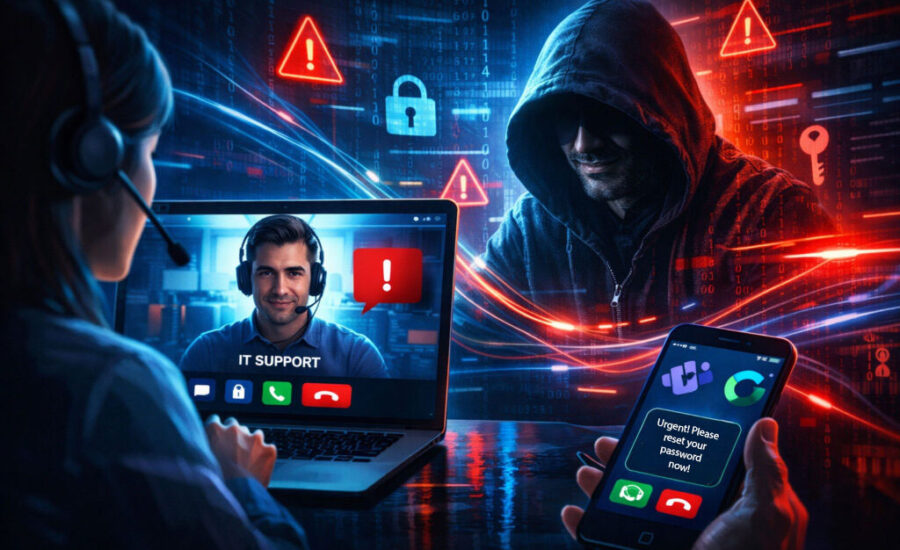
Here’s how the scam works: You receive an unexpected call through Microsoft Teams, an app widely used for messaging, voice calls, and video meetings. The call looks like it’s from “IT SUPPORT” or “Help Desk”—sometimes even with a checkmark emoji to make it look more official.

The caller warns you that there’s an urgent problem with your computer that needs immediate attention. But in reality, it’s a cybercriminal on the other end.

What’s Really Going On

This scam takes advantage of a default Teams setting that allows people outside your organization to contact you. If you answer, the fraudster will pressure you to download software so they can “fix” the problem. But once installed, that software gives them control of your computer, allowing them to steal passwords, install malware, and even access your organization’s entire network.

How to Protect Yourself

If you or your team use Microsoft Teams, keep these tips in mind:

  • Verify first. If someone calls claiming to be IT support, hang up and contact your IT department directly using official channels.
  • Don’t download on demand. Never install software just because someone tells you to in a chat or an unexpected call.
  • Guard your access. Never hand over screen-sharing or remote control permissions unless you’re 100% sure of who you’re dealing with.
  • Watch for urgency tactics. Scammers often try to rush you into clicking or downloading—pause and think before you act.

Strengthen Your Team’s Cyber Awareness

Scams like this remind us that people, not just technology, are the first line of defense against cyber threats. The more your employees know how to spot tricks like these, the safer your business will be.

At Citynet, we take security seriously. That’s why we’ve partnered with KnowBe4, the leader in security awareness training. Through this partnership, we can help your organization train employees to recognize scams, avoid costly mistakes, and keep your network secure.

Think Antivirus Is Enough? Think Again.
By in

Think Antivirus Is Enough? Think Again.

For years, businesses have relied on antivirus software, firewalls, and email filters to defend against cyberattacks. These tools are important, but on their own, they’re no longer enough. Today’s attackers have become far too sophisticated, slipping past these traditional defenses to gain a foothold inside your systems.

If your organization is depending on “good enough” security, it may already be more vulnerable than you realize.

The Evolving Threat Landscape

Cybercriminals aren’t just sending spam emails or spreading obvious viruses anymore. They’re using stealthy tactics designed to avoid detection:

  • Fileless attacks that use legitimate tools already on your computer.
  • Persistence mechanisms that allow hackers to return even after a reboot.
  • Credential theft that gives attackers access without triggering alerts.

These methods often bypass antivirus entirely. In fact, many breaches go unnoticed for weeks or even months, giving attackers plenty of time to steal data, plant ransomware, or quietly spy on your business operations.

Huntress: Always Hunting for Hidden Threats

That’s where Huntress comes in. Huntress is built to look for what traditional tools miss. Instead of focusing only on known malware signatures, it continuously monitors endpoints for unusual behaviors and hidden footholds.

But the real difference is the human element. Huntress employs a team of expert threat hunters who analyze suspicious activity. When something doesn’t look right, they investigate, confirm whether it’s malicious, and provide clear, actionable steps for remediation.

This combination of cutting-edge detection and human expertise means threats are identified quickly and can be stopped before they escalate.

Citynet’s Managed Security Advantage

Citynet integrates Huntress into a layered managed services strategy designed to protect organizations of all sizes. Here’s how:

  • 24/7 monitoring without the burden on your team. You don’t have to worry about chasing alerts or trying to interpret technical reports—Citynet takes care of it.
  • Proactive response. When Huntress finds something, Citynet ensures the threat is addressed before it becomes a crisis.
  • Scalable protection. Whether you’re a small business with a few computers or a larger enterprise, managed services from Citynet give you enterprise-grade security without needing an in-house security department.

By combining Huntress’ world-class threat detection with Citynet’s managed IT services, you gain a security posture strong enough to withstand today’s cyber threats, without overwhelming your internal staff.

Why Businesses Can’t Afford to Wait

The average cost of a data breach for a small business can be devastating. Not just financially, but reputationally. Recovery costs, downtime, and lost customer trust can add up quickly.

With Huntress and Citynet’s managed services, you don’t have to wait for an incident to realize your defenses weren’t enough. Instead, you get:

  • Early detection of hidden cyber threats.
  • Faster response to minimize damage.
  • Peace of mind knowing experts are watching your environment around the clock.
  • Compliance support for industries where security is not optional.

Antivirus alone can no longer protect businesses from the threats they face every day. Cybercriminals are constantly evolving, and your defenses need to evolve too.

With Huntress’ relentless threat detection and Citynet’s managed services, you get protection that goes beyond “good enough.” You get a security strategy built to stop hidden attacks before they stop you.

Don’t wait until a breach proves your antivirus isn’t enough. Contact Citynet today to learn how our managed services, powered by Huntress, can safeguard your business.

VPNs Explained
By in

VPNs Explained

You may have heard the term “VPN” tossed around when people talk about internet safety, remote work, or protecting personal information online. You may even be required to use one for remote work. But what exactly is a VPN, and should you be using one at home or for your business?

Here at CITYNET, we’re committed to keeping our customers informed, secure, and confident about the technology they use every day. This guide will help you understand VPNs and how they can make your internet experience safer and more private when you connect from home and on the go.

What does VPN mean?

To understand how VPNs work, let’s first look at what it means. VPN stands for “Virtual Private Network.” It protects your online privacy by hiding your physical location and all of your online activity.

How does a VPN work?

Normally, when you browse online, your device connects straight to the internet. Along the way, it can leave behind information, such as your IP address, internet provider, and location, which can be collected by websites, advertisers, and even hackers on unsecured networks. 

When you connect to a VPN, the software encrypts, or hides, your information behind security protocols. It then sends that encrypted information on a private connection between your device and the internet by routing your internet traffic through a dedicated, secure server.

In simpler terms, think of using the internet without a VPN like sending postcards through the mail. Anyone handling them can read what’s written on them and see where they’re going. Using a VPN is like putting your message in a locked envelope and mailing it through a trusted courier who delivers it to the recipient without anyone else seeing what’s inside or where it came from.

With a VPN, your online activity stays private and safe, even when you’re using public WiFi (where you’re at risk of someone more easily hacking your device or online traffic). A VPN makes it look like all of your internet traffic is coming from the VPN’s server location, not your own. It also hides the data you’re accessing.

Why should you use a VPN?

Whether you’re at home, at work, or traveling, using a VPN will keep you safe in many regards:

  • Protect Personal Information: If you’re logging into banking websites, accessing medical records, or checking private emails, a VPN helps prevent others from seeing or stealing that data.
  • Privacy on Public WiFi: Public networks are often unsecured, which means they allow anyone with any intentions online. VPNs help protect your personal information from identity theft and data leaks from those with ill intent when you’re using unsecured public WiFi at hotels, coffee shops, and libraries.
  • Business and Remote Work Security: Businesses and remote workers who use VPNs benefit from having secure access to emails, confidential files, and proprietary data on internal company networks without exposing that information.
  • Avoid Tracking: Prying eyes may not only have access to the websites you’re visiting and what you’re doing, but they could also see where you’re visiting from. With a VPN, the only location they see is the location of the server hosting your private connection.

Will a VPN slow down my internet?

The short answer is no, especially if you’re connecting on a fiber network. Most modern VPNs are optimized for speed and shouldn’t cause noticeable slowdowns for general browsing or streaming. But, because your information travels through the VPN server before hitting the internet, it has to go through an extra step. If you are on a slow connection, you may notice a slower online experience. With a fiber connection and a package designed for remote work, CITYNET’s Work @ Home plan with synchronous download/upload speeds of 2.5 Gbps, you shouldn’t experience any slowdowns on your VPN. Streaming, browsing, and video calls typically work just fine, especially with a VPN provider known for fast servers.

Can I use a VPN on my phone?

Yes! Most VPNs offer mobile apps, and they can keep your smartphone or tablet traffic safe and secure while you’re on the go.

These apps work just like desktop VPNs by encrypting your internet activity and protecting you on the go. It’s perfect for when you’re checking your bank account at the local coffee shop or your emails before you hop on a flight.

What should you look for when selecting a VPN?

Like all other software, not all VPNs are created equal. Here are a few key things to consider when selecting a VPN:

  • Reputable Provider: Choose a company that is trusted with good reviews and a strong history.
  • No-logs policy: A VPN shouldn’t keep records of your online activity, so make sure they have a policy stating they don’t store that data.
  • Strong encryption: Strong security keeps your data safe. Check their security ratings before selecting a service.
  • Fast speeds: You want to make sure the VPN doesn’t slow down your online experience so you can stream, take video calls, and work from home, without interruptions.
  • Server location: Look for a VPN that offers a server location close to you to minimize lag in the data transfer.
  • Easy to use: You’ll be more likely to use a VPN consistently if it isn’t complicated.

Which VPNs does CITYNET recommend?

There are many great VPN options out there. You don’t want to skimp when it comes to keeping your data and privacy, so keep that in mind when trying to find free or budget-friendly options. Here are a few of the most trusted VPN providers:

  • NordVPN – Known for speed, strong security, and an easy interface, and supports up to 10 devices on a single account.
  • ExpressVPN – Fast, reliable, and works on nearly every device with servers in every state and 105 countries.
  • ProtonVPN – Great for privacy and offers a strong free version.
  • Mullvad – Open-source option, excellent for anonymity, and doesn’t require personal info to sign up.

VPNs keep you protected.

A VPN can make a big difference in your privacy, security, and peace of mind. Pairing a reliable VPN with fiber internet from CITYNET ensures your online experience is fast, private, and safe, no matter what you’re doing and where you’re connecting.

If you want to learn more about how to make the most of your fiber connection or what VPN might work best for your household or small business, we’re happy to help!