
Most people think of WiFi as a single network. A friend visits, asks for the password, and you share it without much thought.
What many people don’t realize is that sharing your WiFi password may also give guests access to the same network used by your laptops, smart TVs, security cameras, smart home devices, and even work computers.
A guest WiFi network provides a simple solution. It gives visitors internet access while keeping your personal devices and data separate. A guest network is one of the easiest ways to improve both convenience and security while keeping your devices isolated from visitor traffic.
What Is a Guest WiFi Network?
A guest network is a separate WiFi network that broadcasts from your existing router. Devices that connect to it can access the internet, but they are isolated from the devices on your primary network.
That means guests can’t see your computers, printers, smart home devices, security cameras, or other connected equipment. They get the connectivity they need while your devices remain protected behind a separate network.
Why Use a Guest Network?
Creating a guest network offers several benefits:
- Improved Security – If a guest’s device has malware or has been compromised, network separation helps prevent it from accessing devices connected to your primary network. It’s a simple layer of protection recommended by cybersecurity professionals.
- Better Privacy – Guests can browse the internet without gaining visibility into your shared files, printers, streaming devices, or smart home equipment.
- Easier Access – A guest network can use a simpler password that’s easy to share with visitors. No more reading off a long string of random letters and numbers while someone struggles to type it correctly.
- Cleaner Device Management – Guest devices remain separate from your personal devices, making it easier to monitor your network and recognize unfamiliar connections.
The Easy Way: Manage It All from Your Phone
Setting up a guest network doesn’t have to involve logging into your router or navigating complicated settings.
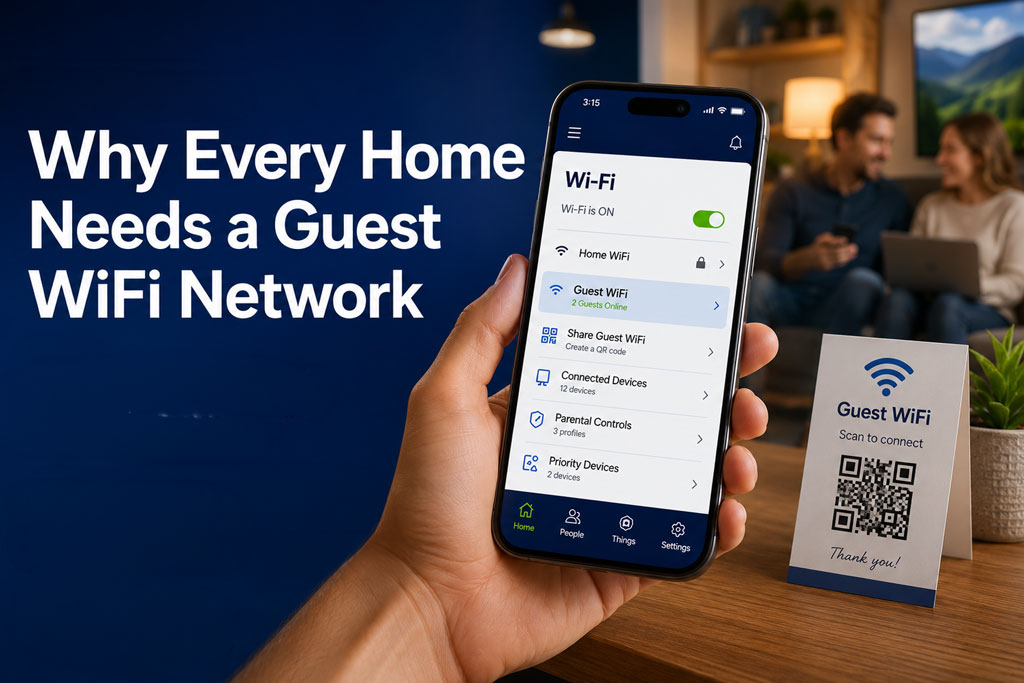
With the Citynet Managed WiFi app, available with most Citynet Fiber internet plans, you can manage your home network right from your smartphone. Features may include:
- Creating and managing guest WiFi networks
- Generating QR codes for easy guest access
- Viewing connected devices
- Setting parental controls and screen-time schedules
- Creating content filters
- Managing your network from virtually anywhere
The app puts powerful network management tools right at your fingertips, making it easier to get the most from your home WiFi.
Setting Up a Guest Network for Visitors
For most households, simplicity is the goal.
Start by creating a clear network name, also known as an SSID. Names like “SmithGuest” or “MountainViewGuest” make it easy for visitors to identify the correct network.
Next, choose a password that’s easy to communicate and easy to remember. Since guests won’t have access to your primary network, you don’t need to use the same highly complex password you reserve for your personal devices.
Once your guest network is ready, consider displaying the login information somewhere convenient:
- A small framed card in a guest room
- A sign near the television or entryway
- A printed QR code that allows guests to connect instantly
Great for Short-Term Rentals
If you operate an Airbnb, VRBO, or other short-term rental, a guest network is especially valuable.
Consider changing the guest network password between stays. This helps ensure former guests can no longer access your network after checkout.
Treat your WiFi credentials like any other part of your guest experience. Just as you refresh linens and restock supplies between stays, make sure your WiFi information is current as well.
For rental properties, use a network name that identifies the property rather than you personally. A name like “RiverCottageGuest” or “MountainCabinGuest” makes it easy for visitors to find while maintaining your privacy.
Guests Welcome. Main Network Protected.
A guest WiFi network is one of the simplest ways to improve security and convenience without purchasing any additional equipment. It takes only a few minutes to set up and pays off every time someone asks for your WiFi password.
And with the Citynet Managed WiFi app, available with most Citynet Fiber internet plans, managing guest access and your home network is easier than ever.
To learn more about Citynet Fiber and the Citynet Managed WiFi app, check availability at citynet.net/myaddress or contact Citynet Customer Support at 800.881.2638.



