
The 3-2-2 Backup Rule

3-2-2 Backup Rule

What if you lose critical data during a disaster? It’s scary to think about, but something every business (and individual!) must plan for in order to mitigate any damage from such an event.

Data loss disasters can occur due to various circumstances: weather events, fire, theft, voltage surges, and malicious attacks from cybercriminals.

According to Verizon’s 2019 Data Breach Investigations Report, it’s estimated that 43% of all cyberattacks are targeted at small businesses. Some businesses never recuperate from the data and reputation loss and, therefore, must close.

To survive, organizations must embrace a strategy that prepares them to maintain business continuity even when disaster strikes.

The 3-2-1 is a well-known disaster recovery rule. As technology attacks and failures have increased dramatically, we now recommend the 3-2-2 rule. It simply adds another layer of protection by keeping an additional backup in a different physical location.

The 3-2-2 backup rule is an easy way to implement a backup strategy to keep your data safe in case a failure should happen.

These simple steps ensure that your data is properly backed up.

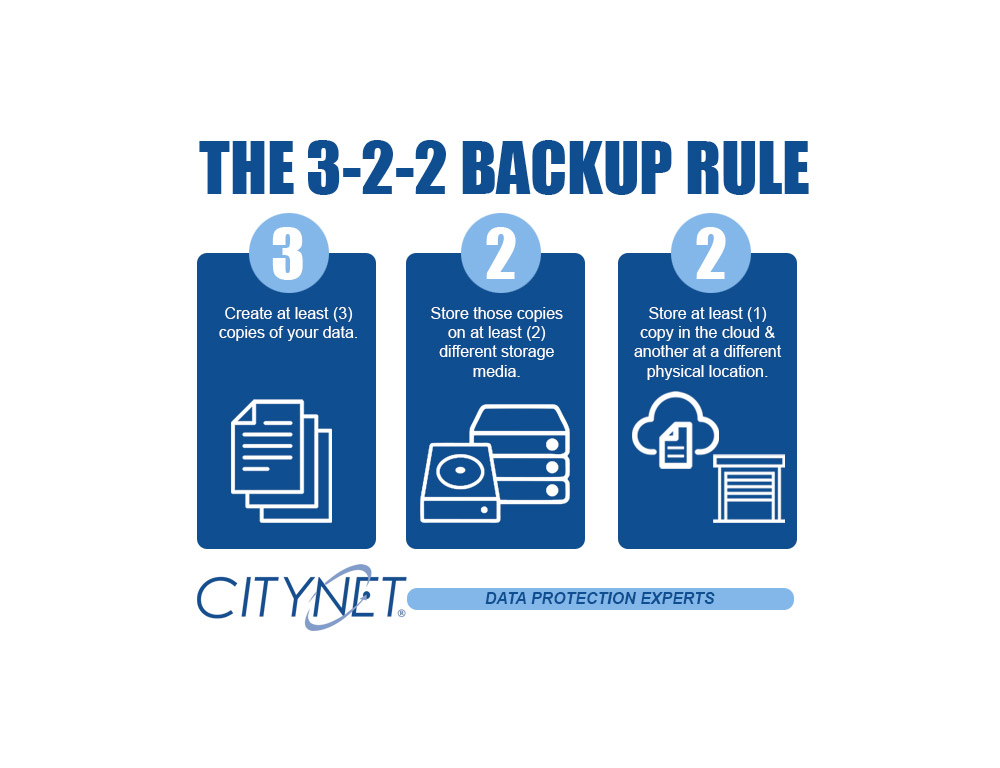
  • Have at least three copies of your backed-up data:  Three copies of your backup data help to ensure that there is no single point of failure: two local media types and one off-site in the cloud.
  • Store the copies on two different media:  Having two physical media types used for your backups is essential.  Whether it be USB drives, NAS devices, or any attached storage. Hardware fails, and having the redundancy of two local media types helps ensure a quick recovery.
  • Keep one backup copy offsite + one backup copy in a different physical location:  Ideally, you will always be able to restore from one of your locally stored media devices, but in the case of a disaster having a copy of your data in the cloud is imperative and adding another in a separate physical location adds additional security and peace of mind.

Securing your data and network from day-to-day threats is a core foundation of our business.  Reach out to us, and we will help you secure your digital infrastructure and devise a business continuity plan tailored to your organization.


Like This Post?

Facebook
X
LinkedIn
Pinterest

More Posts

Ticket Scam QR Image
Cybersecurity

You’ve Been Served… a Scam!

Beware of Fake Toll Violation Text Messages Cybercriminals are constantly evolving their tactics to trick people into giving up sensitive information. One of the latest scams circulating involves fake toll violation notices sent by text message. At first glance, the message looks convincing. It claims you have an unpaid traffic toll that must be paid immediately. The text often includes

Blog Cybercrime Calling Image
Cybersecurity

Cybercriminals Are Now Calling Your Employees

Is Your Business Prepared? Cyber threats are evolving, and one of the fastest-growing tactics right now is social engineering through trusted communication platforms. Instead of trying to hack their way in, cybercriminals are increasingly talking their way in. Attackers are impersonating IT staff, executives, vendors, and even coworkers via phone calls and collaboration tools such as Microsoft Teams, Webex, and other messaging

Laptop Typing With Icons Image
Cybersecurity

Shadow IT: The Apps Your Employees Use That IT Doesn’t Know About

When most businesses think about cybersecurity risk, they picture hackers breaking in from the outside. But one of the fastest-growing risks isn’t external at all. It’s happening inside your organization…quietly, unintentionally, and often with good intentions. It’s called Shadow IT. And it’s growing faster than most businesses realize. What Is Shadow IT? Shadow IT refers to any software, app, cloud platform,

Teamwork People Tablet Image
Cybersecurity

The New Employee Is Your Biggest Security Risk

(And It’s Not Their Fault) When businesses think about cybersecurity risk, they often picture hackers, ransomware, or sophisticated phishing attacks. But one of the most common — and overlooked — security risks starts on day one: A new employee. Not because they’re careless.Not because they’re malicious.But because onboarding and offboarding processes often leave dangerous gaps. If those gaps aren’t managed

Umbrella Covering Laptop Cybersecurity Image
Cybersecurity

The New Reality of Cyber Insurance Requirements for Small Businesses

Cyber insurance used to feel like a safety net. Today, it’s starting to feel more like an application for a mortgage. Across the country, insurance providers are tightening requirements, raising premiums, and even denying claims when businesses don’t meet modern cybersecurity standards. Many small and mid-sized organizations are discovering this shift the hard way, during policy renewal or after filing

Citynet Red Siege Webinar Post Image
Cybersecurity

Citynet and Red Siege Webinar Inside the Attacker’s Playbook

Cybersecurity isn’t just about defense — it’s about understanding how real attackers think. Join Citynet’s Craig Behr and Red Siege’s Tim Medin for an upcoming webinar, Inside the Attacker’s Playbook, where we’ll break down how real-world offensive operations uncover gaps — and how organizations can use those insights to reduce cyber risk before it becomes a business problem. Play Video

SuperPod with WiFi 6E

Plume SuperPod WiFi 6E Specs

SuperPod with WiFi 6

Plume SuperPod WiFi 6 Specs

SuperPod

Plume SuperPod Secs

